How to turn your assembly instructions into installation videos
Start with your existing assembly instructions and turn each task into a clear visual step. Add step numbers, highlights and voice-over in the languages your installers use. The film complements the written instructions, which remain, and is reached by a QR code on the product, packaging or in the manual.
From assembly instructions to installation videos in 4 steps
- STEP 01
Start from the existing instructions
Gather the manual or installation instructions as a PDF, Word document or scan, product images and the languages you need. Use the order of the instructions as the basis for the film.
- STEP 02
Turn each task into a visual step
Use the manual’s own drawings, images and CAD files to show what the installer should do. Choose the method that makes each task easy to follow.
- STEP 03
Add step numbers, highlights and languages
Clear step numbers and highlights draw attention to the right detail. Text and voice-over in each market’s language help installers follow the same instructions.
- STEP 04
Publish where installers are
Publish the films in your own channels and link to them with QR codes on the product, packaging or in the manual. Installers can then reach the right film on site.
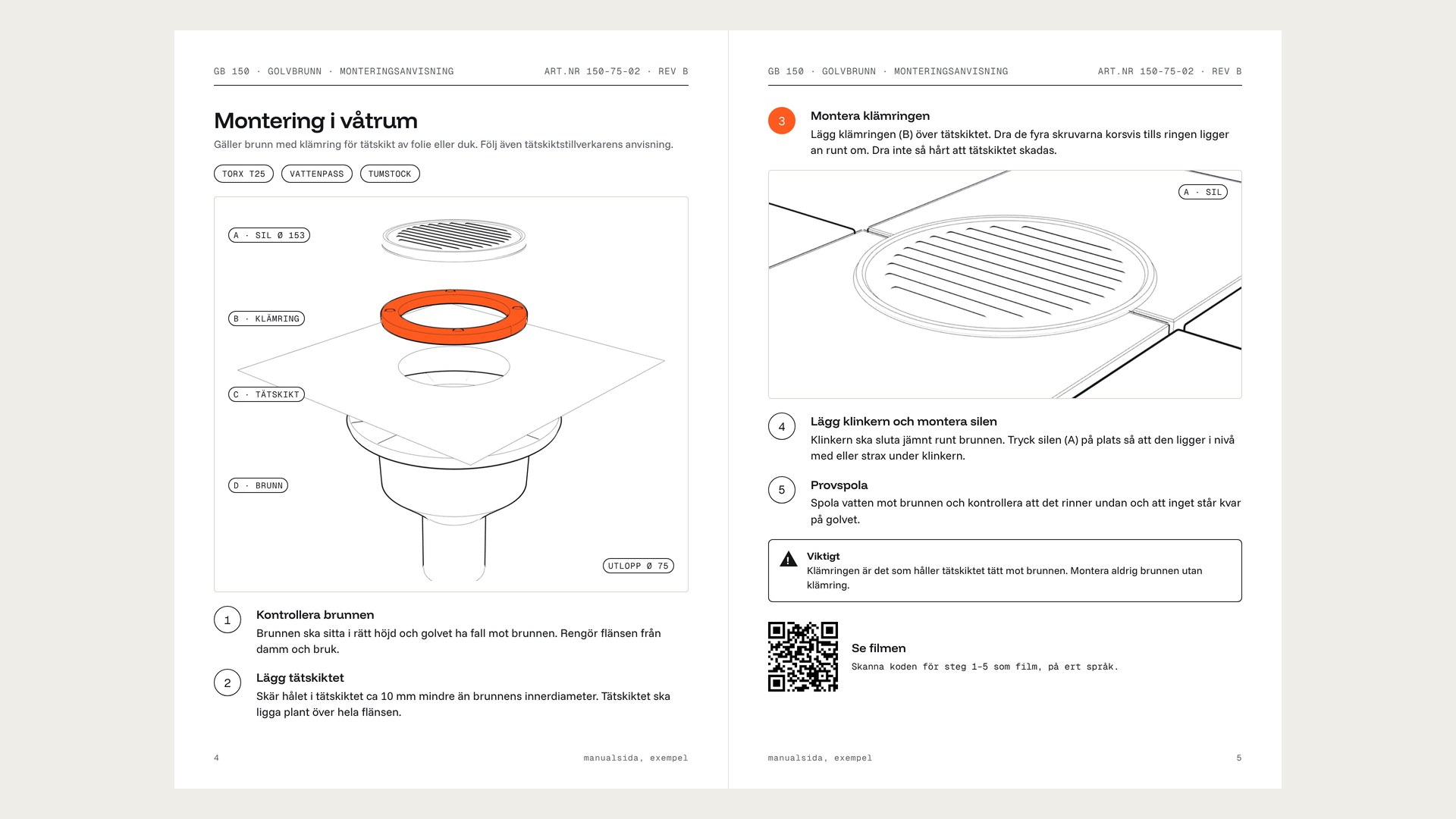 ASSEMBLY INSTRUCTIONS
3 ways to make assembly videos
| Method | Benefit | Best suited to |
|---|---|---|
| Illustrations animated from the manual’s own drawings | Fast and cost-efficient, using existing material. | Many products with clear drawings in the manual. |
| 3D animation from CAD files | High precision and clear views of technical details. | Technical installations where parts and connections need to be shown precisely. |
| Filming a real installer | Shows hand movements and practical execution. | Practically complex steps where hand movements matter. |
What matters with every method
- Check every step against the original assembly instructions.
- Keep the written instructions. The film complements them and makes the steps easier to follow.
- Plan text and voice-over around the markets you sell in.
- Make the film easy to reach with a QR code to your own film link.
- Plan for product changes so affected steps and language versions stay up to date.
How you get finished films from Manumove
You send a manual or installation instructions, product images and the languages you need. We build the film from the manual’s own steps, drawings, images and CAD files. Your existing material is the basis for the delivery.
AI is part of production. We check every film step by step against the original instructions. You review with comments directly in the film and approve it in writing. One personal project lead follows you from start to delivery.
You get text and voice-over in most European languages and the major world languages. After the test film, you choose a level and receive a fixed price per film and language in writing.
Choose Clear or Advanced
Clear
Step-by-step films with the manual’s own drawings, text and voice-over in your chosen languages.
Advanced
Everything in Clear, with animations and visual effects that bring the tasks to life and make them easy to follow.
A complete delivery that you own
- Finished films per language.
- Publishing texts: title, description, tags and chapters.
- A PDF per product and language with QR codes to your own film links.
- A distribution plan that you carry out in your own channels.
You own the films and all delivered material and publish in your own channels. When a product changes, we update the affected steps and language versions at a fixed price agreed in advance.
Questions about installation videos from assembly instructions
See your own assembly instructions as film
Get a free test film within one week of us receiving your material. Book 20 minutes to go through your product and languages.